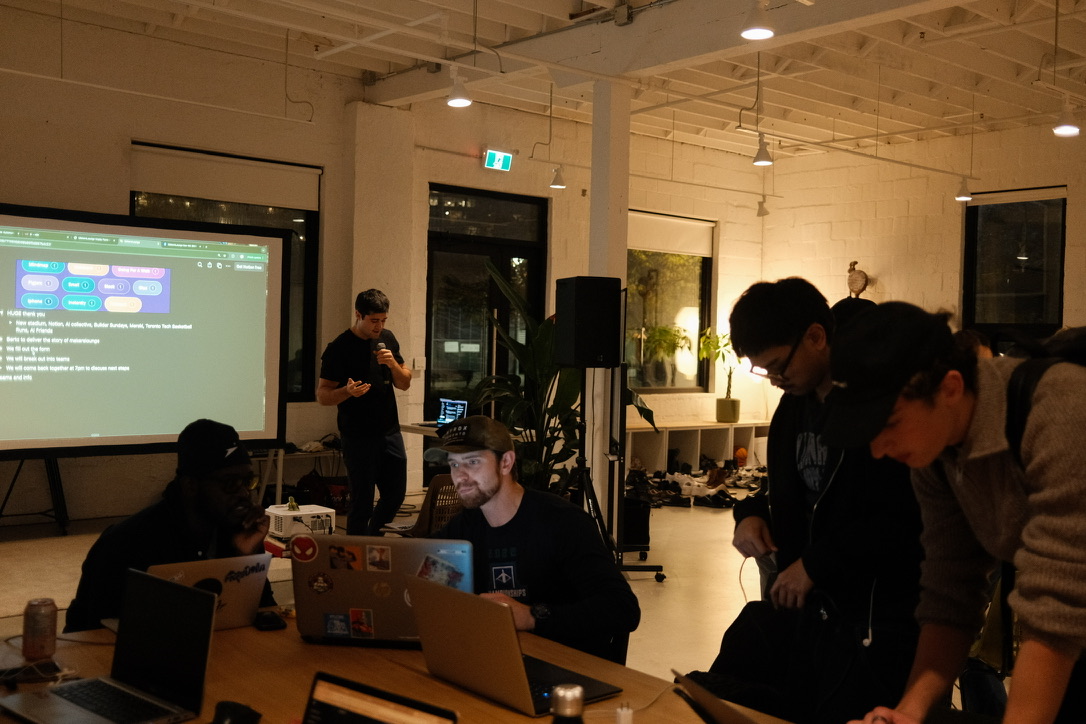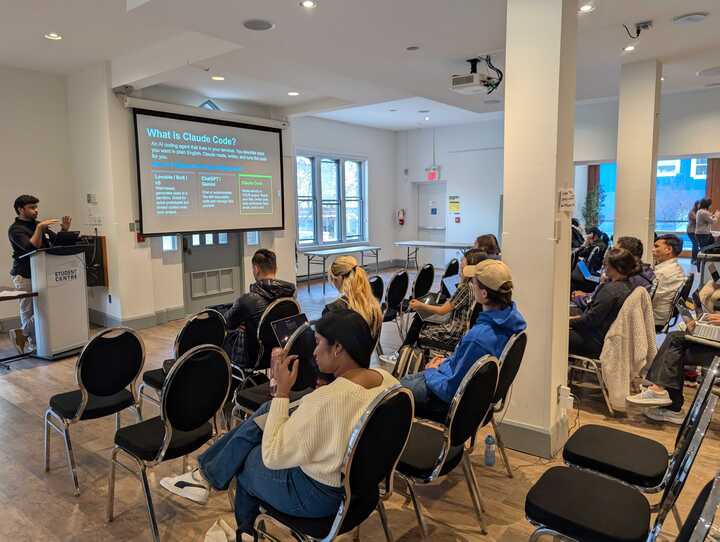

On Friday, April 24th, 49 makers packed into the Thomas Lounge at the TMU Student Centre for our biggest night yet — MakersLounge Toronto #10, in partnership with TMU Byte.
The brief was simple: stop watching tutorials, start building real software. Three hours later, the room had a stack of working prototypes, a mountain of new questions, and a lot more confidence about what's actually possible with AI-assisted development.
A fantastic partnership with TMU Byte
Teaming up with Byte was a no-brainer. They bring some of the most curious, generous, and ambitious students in Toronto to every event, and that energy reshaped the whole night. From setup to demo Q&A, the room felt less like an audience and more like a collaboration.
"Byte raised the ceiling on this one. Their members brought sharper questions, generous feedback, and the kind of energy that turns a workshop into a community moment. We can't wait to do more with them." — Berto Mill, MakersLounge
To everyone on the Byte team — thank you. We loved every minute of this one.
Vimal taught Claude Code from first principles
The 6:00–7:00 PM block belonged to Vimal Kumar Parthasarathy, and he absolutely delivered. Vimal has gone deeper on Claude Code than almost anyone we know — the plugins, the workflows, the gotchas — and he distilled all of it into a one-hour session that took the room from "I've heard of this" to "I'm ready to ship."
He covered the fundamentals that separate prompting from actually building quality software:
- Step Zero — Write a Great PRD First. Five minutes on the brief saves five hours fixing the result.
- Plan mode for letting Claude think before it writes code.
- CLAUDE.md for giving the model the project context it needs.
- Plugins and subagents that move you from prototype toward production-quality software.
"Most people stop at prompting. The whole point of Claude Code is that you can give it real context — a PRD, a CLAUDE.md, a plan — and get production-quality work back. I wanted to show people the difference." — Vimal Kumar Parthasarathy
What made it land wasn't just the content — it was that Vimal built live, in front of the room, so you could see exactly how the workflow feels. No theory, no hand-waving.
The build session: 90 minutes, real software
After the training, the room cracked open. Some makers brought their own ideas. Others picked from our starter templates. The hosts — Katy, Parth, Yeji, and Berto — circulated, unsticking people on installs, prompts, plan-mode quirks, and everything in between.
The energy was electric. Laptops everywhere, side conversations turning into co-builds, and that specific kind of buzz that only happens when 49 people are all making something at the same time.
"I came in thinking this would be way over my head. Two hours in, I had a working prototype on my laptop. I keep replaying it in my head — that doesn't usually happen at workshops." — Workshop attendee
Demo time
8:30 hit and we went around the room. People stood up, shared their screens, and showed what they'd shipped in less than two hours. The feedback wasn't the polite "looks great!" kind — it was the real, useful, here's-what-would-make-this-better kind. That's the standard we want every MakersLounge to hit.
What we took away
A few things crystallized for us:
- Non-technical people can build real software when they have the right tools, a clear workflow, and a room of people willing to help.
- Workshops beat tutorials. Watching someone build live, then building yourself, is 10× the lecture.
- Community partnerships make events better. Byte raised the ceiling on this one — and we want more of that.
We're already plotting #11. If you came on Friday, thank you for trusting us with your evening. If you didn't, this is your invitation.
Come build something next time
- RSVP the next event → makerslounge.ca/events
- Join our Slack → community invite
- Sign up for the app → makerslounge.ca
Slides and the cheat sheet from Vimal's workshop are right here.
See you at the next one. Build. Connect. Create. 🚀